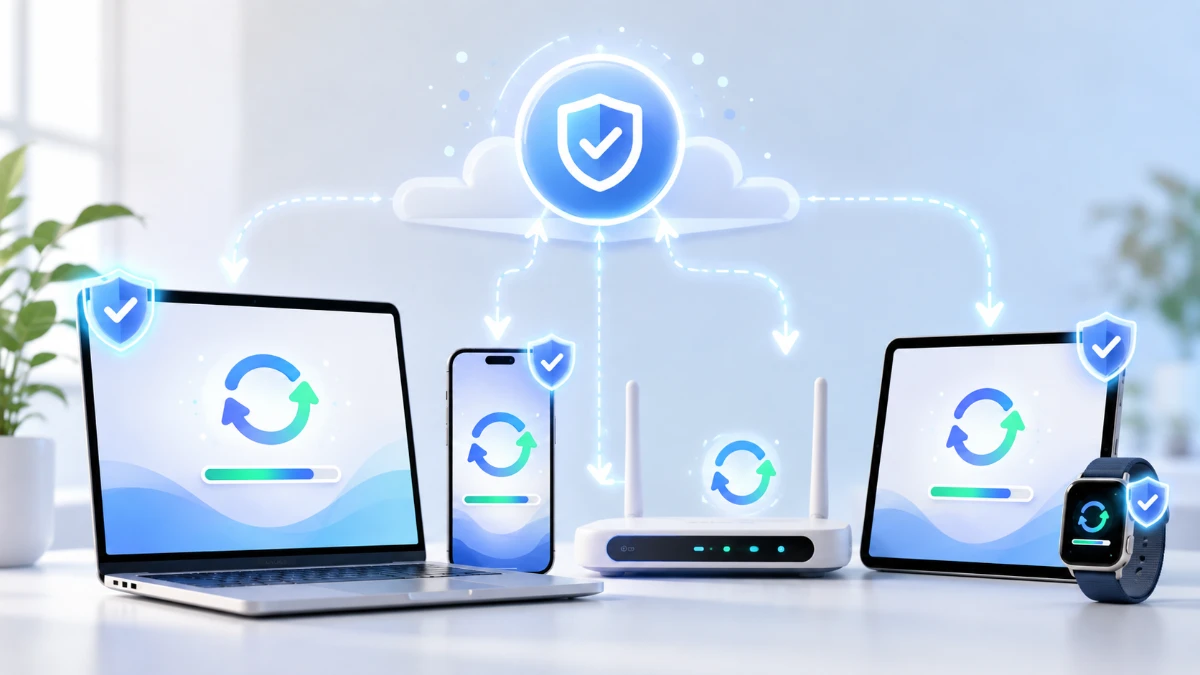
Software updates do more than add new features. They can close known security vulnerabilities, repair bugs, improve compatibility and keep devices connected to services that continue to evolve.
A software-update notification often appears at an inconvenient moment.
A phone asks to restart while its owner is working. A laptop begins downloading files before an important meeting. A browser displays another message requesting that it be relaunched.
It is understandable that many users choose “Remind Me Later.”
Delaying an update for a few hours is not necessarily a crisis. However, repeatedly ignoring updates can leave devices running with known security weaknesses, unresolved software errors and outdated components.
Updates are an essential part of maintaining modern technology. Software is rarely finished when a product is released. Developers continue finding defects, responding to security research and adapting their products to new hardware, websites and online services.
The most visible changes may be new icons or features, but some of the most important improvements happen in the background.
What Is a Software Update?
A software update is a package of changes released for an existing operating system, application, browser, device or connected product.
Updates may:
-
Correct security vulnerabilities
-
Repair software bugs
-
Improve stability
-
Add or modify features
-
Support new hardware
-
Improve compatibility
-
Update security certificates
-
Replace outdated components
-
Improve accessibility
-
Adjust performance or battery use
The Cybersecurity and Infrastructure Security Agency defines patches as software or operating-system updates that address vulnerabilities. Vendors may also use them to correct performance problems and introduce security improvements.
An update may be very small and affect only one component. A major operating-system update can change thousands of files and introduce a substantially different version of the software.
What Is a Software Patch?
The words “update” and “patch” are often used interchangeably, but they can describe slightly different things.
A patch is usually a targeted change intended to correct a known problem in existing software.
It may fix:
-
A security vulnerability
-
A program crash
-
An incorrect calculation
-
A connection problem
-
A compatibility issue
-
A performance defect
NIST describes patching as applying a change to installed software, including firmware, operating systems and applications, to correct security or functionality problems or add new capabilities.
An update is a broader term. It can include one patch, many patches, new features and other improvements.
Why Does Software Need Updates After Release?
Modern software is extremely complex.
An operating system may contain millions of lines of code and interact with:
-
Processors
-
Memory
-
Storage devices
-
Cameras
-
Network hardware
-
Third-party applications
-
Online accounts
-
Cloud platforms
-
Web standards
-
Security tools
Developers test products before release, but it is difficult to reproduce every device, setting and user behavior.
Some problems appear only after millions of people begin using the software. Others emerge when researchers discover a weakness that was not previously understood.
Technology around the software also changes. New devices appear, online services update their systems and attackers develop new techniques.
Software maintenance is therefore a continuing process rather than a one-time event.
Security Updates Close Known Vulnerabilities
One of the most important reasons to update software is to address security vulnerabilities.
A vulnerability is a weakness that may allow someone to make a system behave in an unintended way.
Depending on the problem, an attacker might be able to:
-
Run unauthorized code
-
Access private information
-
Bypass security controls
-
Take control of an account
-
Crash a service
-
Change files
-
Install malicious software
-
Move into other connected systems
Once a vendor understands the problem, it may develop a patch and distribute it through a software update.
CISA recommends installing updates, especially critical updates, as soon as reasonably possible because attackers may attempt to take advantage of known weaknesses.
Installing the update does not make a device immune to every cyberattack. It removes or reduces exposure to the specific problems addressed by that release.
What Does “Known Vulnerability” Mean?
A vulnerability may exist long before it becomes publicly known.
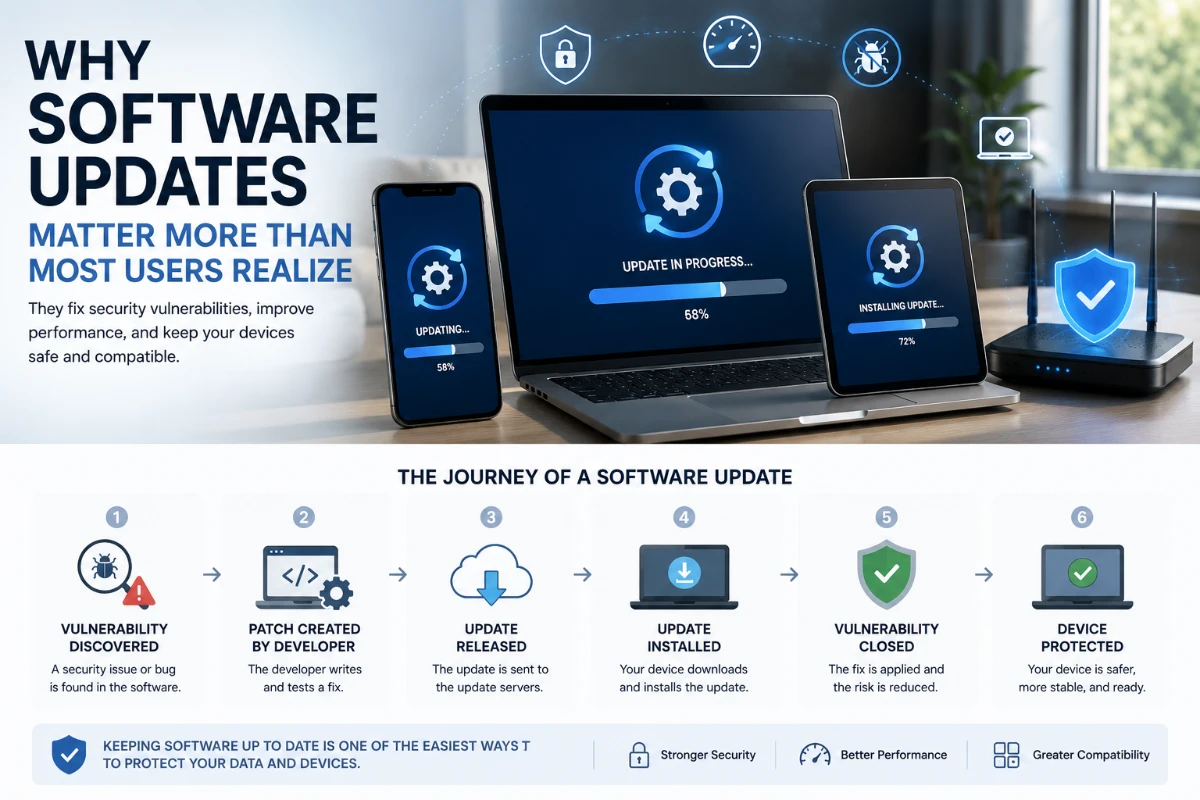
The sequence often looks like this:
-
A software defect is introduced during development.
-
The product is released.
-
A researcher, vendor or attacker discovers the weakness.
-
The vendor investigates the issue.
-
A security fix is developed and tested.
-
The update is released.
-
Users and organizations install the update.
After public disclosure, technical information about the vulnerability may become available through security advisories, research reports or vulnerability databases.
This can help defenders understand the risk. It may also help attackers identify systems that have not been updated.
The period after a patch becomes available can therefore be important. The vulnerability is known, but many devices may still be running the old software.
Do Attackers Really Target Outdated Software?
Yes, although the level of risk depends on the vulnerability and the device’s exposure.
Attackers often look for systems with known weaknesses because those weaknesses may already have documented techniques or available tools.
They do not always need to discover a completely new flaw. They may search for organizations that have not installed an existing fix.
NIST treats patch management as preventive maintenance that can reduce compromises, data breaches and operational disruption.
A device can be particularly exposed when it:
-
Connects directly to the internet
-
Runs a web browser or email application
-
Accepts files from outside users
-
Hosts an online service
-
Stores sensitive information
-
Uses an administrator account
-
Connects to other valuable systems
However, not every missed update leads to an attack. Risk depends on the software, vulnerability, attacker activity and available protections.
Updates Can Fix Bugs That Are Not Security Problems
Many software bugs are inconvenient rather than dangerous.
An application may:
-
Freeze during a particular task
-
Close unexpectedly
-
Display incorrect information
-
Drain the battery too quickly
-
Lose a network connection
-
Fail to recognize a device
-
Use too much memory
-
Save a file incorrectly
-
Produce distorted audio
-
Send duplicate notifications
Developers can correct these problems through updates.
Apple, for example, describes its operating-system releases as including combinations of features, bug fixes and security updates.
Bug fixes can be especially important when software supports work, healthcare, finance or industrial operations.
A small error in an entertainment application may be annoying. A similar error in a business system could interrupt transactions or affect important records.
Updates Can Improve Stability and Performance
An update may change how software uses the device’s processor, memory, battery or storage.
Possible improvements include:
-
Faster startup
-
Reduced memory use
-
Better battery efficiency
-
Fewer crashes
-
Improved network performance
-
More reliable background tasks
-
Faster file processing
-
Better thermal management
Performance does not always improve for every device.
An update developed for newer hardware may feel slower on an older phone or computer. A new feature may also use additional resources.
Users should distinguish between verified performance improvements and general marketing claims.
For important devices, it can be useful to review the vendor’s release notes and known-issues documentation before installing a major version.
Updates Help Software Remain Compatible
A device does not operate in isolation.
Applications depend on operating systems. Websites depend on browsers. Accessories depend on drivers and communication standards. Cloud services depend on supported security protocols.
As these systems evolve, older software may stop working correctly.
A software update may add support for:
-
A new file format
-
A newer browser standard
-
A recently released device
-
Updated wireless technology
-
New security certificates
-
A changed cloud-service connection
-
A newer application programming interface
-
Updated accessibility hardware
Without those changes, users may experience broken websites, failed logins or unsupported devices even when the old software itself still opens.
Why Browsers Need Frequent Updates
Web browsers process content from many websites and are exposed to complex information from the internet.
They handle:
-
Webpage code
-
Images
-
Video
-
Advertisements
-
Downloads
-
Extensions
-
Account sessions
-
Payment information
A browser vulnerability may be particularly valuable to attackers because users encounter online content continuously.
CISA specifically emphasizes updating operating systems, applications, web browsers and antivirus software.
Browsers often update automatically and may require a restart before the newest version becomes active.
Keeping a browser open for weeks without restarting can sometimes mean that a downloaded security fix has not yet been fully applied.
Why Phone Updates Matter
A smartphone contains far more than calls and messages.
It may store or provide access to:
-
Email
-
Private photographs
-
Banking applications
-
Passwords and passkeys
-
Location history
-
Work documents
-
Health information
-
Authentication codes
-
Social-media accounts
-
Smart-home controls
Phones also contain many connected components, including cameras, wireless radios, browsers and messaging services.
A vulnerability in any of these areas can create risk.
Apple describes keeping software current as one of the most important actions users can take to maintain the security of Apple products. It publishes security advisories for its operating-system releases and related components.
Android device updates depend on the manufacturer, model, mobile carrier and support period. Users should check the support policy for their specific device rather than assuming that every Android phone receives the same updates for the same length of time.
What Is a Security Update?
A security update is primarily intended to correct vulnerabilities or strengthen security protections.
It may include fixes for:
-
The operating-system kernel
-
A web browser
-
Wireless connections
-
Image-processing libraries
-
Authentication systems
-
Device drivers
-
File-sharing services
-
Security certificates
-
Application permissions
A security update may have no visible effect.
There may be no new design, feature or menu. The device simply becomes less exposed to the addressed issue.
Apple’s public security-release page, for example, lists updates with related advisories and vulnerability identifiers.
Some platforms also deliver smaller security changes between major system releases. Apple’s Background Security Improvements are designed to provide lightweight updates for components such as the Safari browser, WebKit and system libraries.
What Is a Feature Update?
A feature update introduces larger functional or design changes.
It may add:
-
New applications
-
New interface elements
-
AI capabilities
-
Accessibility features
-
Privacy controls
-
Window-management options
-
Camera functions
-
Communication tools
Feature updates are usually larger and may require more storage, installation time and testing.
Microsoft distinguishes frequent quality updates, which mainly include smaller fixes and security changes, from less frequent feature updates.
A user may choose to wait before installing an optional feature release, particularly if a device is important for work.
That is different from ignoring a critical security update for an extended period.
What Is Firmware?
Firmware is software embedded within a hardware device.
It controls or supports components such as:
-
Routers
-
Printers
-
Cameras
-
Storage drives
-
Motherboards
-
Smart televisions
-
Security systems
-
Wireless headphones
-
Industrial machines
Firmware updates may correct security problems, improve hardware compatibility or change device behavior.
Connected products are sometimes forgotten after installation. A home router may run for years without anyone checking whether the manufacturer has released updates.
Users should review update settings for devices that connect to the internet, particularly routers, cameras and smart-home products.
What Are Device Drivers?
A driver allows an operating system to communicate with a hardware component.
Drivers may be required for:
-
Graphics processors
-
Printers
-
Wi-Fi adapters
-
Audio hardware
-
Cameras
-
Storage controllers
-
Keyboards and mice
A driver update can repair errors, improve compatibility or close a vulnerability.
However, users should obtain drivers from the operating system, the device manufacturer or another trusted official source.
Random driver-download websites can distribute outdated, incorrect or malicious files.
Are Automatic Updates a Good Idea?
For most personal devices, automatic updates are a practical security measure.
They reduce the chance that a user will overlook an important patch and shorten the time a device remains exposed.
CISA recommends enabling automatic updates for operating systems and applications when that option is available.
Apple also recommends automatic updates as the most reliable way to receive current features, security fixes and bug corrections.
Microsoft uses automatic delivery for monthly Windows updates and allows users to configure active hours or schedule restarts.
Automatic updates are especially helpful for:
-
Web browsers
-
Security software
-
Mobile applications
-
Personal phones
-
Home computers
-
Smart devices that support reliable automatic updating
They may be less appropriate for specialized systems that require testing before any change.
When Should Updates Be Tested First?
Businesses cannot always install every update immediately on every device.
An update can occasionally create:
-
Application conflicts
-
Driver problems
-
Performance changes
-
Failed restarts
-
Network issues
-
Compatibility problems
-
Operational disruption
Organizations often test important updates on a smaller group of systems before broad deployment.
NIST describes enterprise patch management as a process that includes identifying, prioritizing, acquiring, installing and verifying updates.
Testing is particularly important for:
-
Medical equipment
-
Factory-control systems
-
Payment systems
-
Business-critical servers
-
Older specialized software
-
Devices that cannot tolerate downtime
However, testing should not become an excuse for indefinite delay.
Organizations need a process that balances security risk against operational risk.
Should Every Update Be Installed Immediately?
Not necessarily in every environment.
For most consumer devices, promptly installing official security updates is a sensible default.
For business systems, the decision may depend on:
-
Severity of the vulnerability
-
Evidence of active exploitation
-
Internet exposure
-
Importance of the affected system
-
Availability of temporary protections
-
Risk of service interruption
-
Results of update testing
CISA’s 2026 risk-based guidance for federal systems emphasizes prioritizing updates according to evidence and risk rather than treating every vulnerability identically.
A critical vulnerability being actively exploited may require emergency action. A minor defect affecting an isolated system may follow a normal maintenance schedule.
Why Do Updates Sometimes Cause Problems?
Software changes can interact with devices and applications in unexpected ways.
An update may work correctly in the developer’s testing environment but fail on a specific combination of:
-
Hardware
-
Drivers
-
Security software
-
Storage configuration
-
Business applications
-
Network settings
-
User permissions
This does not mean updates should generally be avoided. It means important systems should have backups, recovery options and a controlled update process.
For consumers, major problems are less common than routine successful updates, but users should still take basic precautions before installing a large operating-system release.
How to Update a Device Safely
Use the official update system
Install updates through:
-
The device’s settings
-
The official application store
-
The vendor’s website
-
An authorized management platform
Do not install an update from an unexpected email attachment or pop-up advertisement.
Confirm the device has enough power
Keep a laptop connected to power or make sure a phone has sufficient battery.
An interrupted firmware or operating-system update may cause problems.
Check available storage
Large updates may require temporary space for downloading and installation.
Microsoft advises users to free storage when Windows Update reports that there is not enough space.
Back up important data
A routine update should not normally delete personal files, but backups provide protection if an unexpected failure occurs.
Save open work
An update may require applications to close or the device to restart.
Read the release notes for major updates
Check:
-
Supported devices
-
Known issues
-
Important application compatibility
-
Required storage
-
Removed features
Restart when required
Some updates do not become active until the device restarts.
Verify that the update completed
After installation, check the update history or version number.
How to Recognize a Fake Update
Attackers sometimes create fake update messages to distribute malicious software.
A fraudulent prompt may claim that the user must urgently update:
-
A browser
-
A video player
-
Antivirus software
-
A phone-cleaning application
-
A driver
-
A security certificate
Warning signs include:
-
An update arriving as an email attachment
-
A webpage demanding installation of an unfamiliar file
-
Spelling or formatting errors
-
Requests for payment or financial information
-
A download from an unrelated domain
-
An installer that requests unusual permissions
-
A message claiming immediate irreversible damage
Close the message and check for updates directly through the device settings or official vendor website.
Do not use the link inside the suspicious prompt.
What Happens When Software Reaches End of Support?
Software vendors do not maintain every product forever.
At the end of a support period, the product may stop receiving:
-
Security updates
-
Bug fixes
-
Technical assistance
-
Compatibility improvements
The software may continue to operate, but newly discovered vulnerabilities may remain unpatched.
For example, Microsoft ended standard free support and security updates for Windows 10 on October 14, 2025. Windows 10 devices did not immediately stop functioning, but remaining on an unsupported version changed their long-term security position.
Users should check support dates before purchasing or continuing to rely on older devices.
If a product is no longer supported, possible options include:
-
Upgrading the software
-
Replacing the device
-
Disconnecting it from the internet
-
Restricting it to a separate network
-
Using an official extended-support program
-
Migrating to another product
Why Older Devices May Not Receive New Updates
A device may stop receiving updates because:
-
Its processor does not support required security features
-
It has insufficient memory or storage
-
The manufacturer has ended support
-
New software cannot run reliably on the hardware
-
The device depends on discontinued components
A device does not become unsafe the moment support ends. However, its risk can increase as new vulnerabilities are discovered without fixes.
Consumers should consider the promised support period when purchasing phones, computers and connected devices.
A less expensive product may provide poor long-term value if software support ends quickly.
Why Businesses Need Patch Management
A person may own several connected devices. A large organization may operate thousands.
Those systems can include:
-
Employee laptops
-
Cloud servers
-
Mobile devices
-
Network equipment
-
Business applications
-
Printers
-
Security cameras
-
Industrial systems
-
Software libraries
An organization must know what it owns before it can update it effectively.
A patch-management program generally includes:
-
Creating an inventory.
-
Tracking supported software versions.
-
Monitoring vendor advisories.
-
Evaluating vulnerability risk.
-
Testing updates where necessary.
-
Deploying patches.
-
Confirming successful installation.
-
Documenting exceptions.
-
Retiring unsupported systems.
NIST recommends treating patching as a planned, accountable and repeatable business process rather than an occasional technical task.
Why Updating One Device May Protect Others
Devices are connected through accounts and networks.
A compromised computer may provide a path to:
-
Shared cloud storage
-
Email accounts
-
Workplace systems
-
Home-network devices
-
Saved passwords
-
Business applications
Updating one device can therefore reduce risk beyond that single product.
The same principle applies to business servers. One vulnerable internet-facing system may provide an attacker with access to a larger environment.
Software maintenance is part of broader security hygiene that also includes strong authentication, backups and access control.
Updates Are Not a Complete Security Strategy
Installing updates is essential, but it does not eliminate every risk.
Users should also:
-
Use unique passwords or passkeys
-
Enable multifactor authentication
-
Back up important data
-
Avoid suspicious downloads
-
Review application permissions
-
Secure home routers
-
Remove unused software
-
Lock devices
-
Monitor account activity
Some attacks exploit human trust rather than software defects. A fully updated device cannot prevent a user from voluntarily giving a verification code to a scammer.
Updates reduce technical exposure. Safe behavior and account protection address other forms of risk.
Common Myths About Software Updates
“Updates only add features”
Many updates contain security patches and reliability improvements with few visible changes.
“My device works, so it does not need an update”
A vulnerability can exist even when the device appears to work normally.
“Antivirus software makes updates unnecessary”
Security software may detect some threats, but it cannot reliably compensate for every vulnerability in an outdated operating system or application.
“Updates always make devices slower”
Some updates can affect performance, particularly on older hardware. Others improve speed, stability or battery life. The result depends on the specific update and device.
“Every update must be installed the moment it appears”
Critical consumer security updates should normally be installed promptly. Complex business systems may require testing and risk-based prioritization.
“A newer version is automatically secure”
New software can also contain vulnerabilities. Updates reduce known risks but cannot guarantee perfect security.
A Practical Update Routine for Consumers
A simple routine can make software maintenance easier.
Turn on automatic updates
Enable them for operating systems, browsers, applications and security tools.
Restart devices regularly
Restarts allow pending updates to finish and can clear temporary software problems.
Check monthly
Open the update settings on devices that do not update reliably.
Review smart devices
Check routers, cameras, televisions and home-automation products.
Remove unused applications
Software that is no longer needed creates additional maintenance and security exposure.
Replace unsupported products
Do not rely indefinitely on devices that no longer receive security fixes.
Keep backups
Maintain a recoverable copy of important files before major system changes.
The Bottom Line
Software updates are not merely cosmetic changes or optional feature packages.
They are one of the main ways developers correct vulnerabilities, repair bugs, maintain compatibility and support devices after release.
Ignoring updates for long periods can leave known weaknesses uncorrected. It can also cause applications, websites and connected devices to stop working properly as surrounding technology changes.
For most consumers, enabling automatic updates and installing official security fixes promptly is a practical approach.
Businesses may need testing, staged deployment and risk-based prioritization, particularly when updates affect critical systems.
No update can make a device completely secure, and updates occasionally introduce new problems. Even so, regularly maintained software is generally better positioned to resist known attacks and remain compatible with a changing digital environment.
The notification asking for a restart may be inconvenient. The changes happening behind it can be far more important than they appear.
Comments 0